Everything you need for your stream. With just the phone.
Stay on air through dead zones, play your clips while you're away with Plus, and add overlays and alerts (beta), all from one phone. No computer needed.
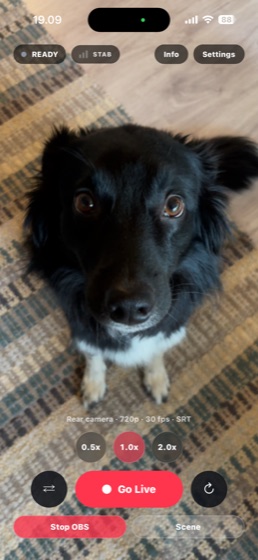
Why you no longer need a computer at home
To stay live through dead zones and show a BRB screen or overlays, IRL streamers used to need a computer at home running OBS, or a cloud OBS at $120–180 a month. Direct moves that job, overlays (beta) included, onto VISP's server, so no computer is needed. Your phone sends one feed, and VISP builds the show and keeps it on air.
When the signal drops, the stream doesn't
Signal weakens on the highway
The app streams over Wi-Fi and mobile data at the same time, so one network can fade without taking you down (Network bonding).
Dead zone: viewers watch your clips
Viewers see your BRB screen instead of "stream ended", or your highlight clips with Plus. The chat bot tells chat you'll be right back. VISP's server does all of it, with no computer at home (Never drop again).
Back in range: live again
When the phone reconnects, VISP cuts back to live on its own. There's no computer at home to babysit (Never drop again).
Road trip subathon.
In a moving car the signal drops every few minutes. Each drop ends the broadcast, splits the subathon into ten VODs, and sends viewers away. The stream never goes offline. While the phone fights for signal, viewers watch your uploaded clips (Plus), and VISP cuts back to live the moment you reconnect. No computer needed.
Never drop again + BRB highlights (Plus)
Festival crowd.
Thirty thousand phones on one cell tower, and your upload crawls. The app streams over Wi-Fi and mobile data at the same time, or sends every packet over both, so one jammed network doesn't freeze you.
Network bonding
Into the tunnel.
You vanish and chat starts asking if the stream died. The chat bot posts "signal lost, back soon" when you drop and "we're back" when you return, so mods and viewers know to stay.
Chat bot alerts
Sub goal on a hike.
You want alerts and a goal bar on screen, but there's no PC at home to run them. Build scenes in the browser with your alert widget and overlays; VISP adds them to the stream on its server. No computer needed. Cloud Studio (beta) gives you up to 3 scenes with 8 layers each. Layers can show up to two public web pages, such as alert widgets, and one can be the VISP alert layer.
Cloud Studio (beta)
What else you get
Twitch and Kick at once.
Two streams from one phone usually means twice the upload and a hot, dying battery. Your phone sends one feed; VISP sends it to every platform, and if one platform has a problem the others keep going.
Multistream
Lost phone at a festival.
Or you lend it to a friend for the day. Your stream key is never on the phone. Remove the device from your dashboard and it can't stream as you again.
Keys stay server-side, revocable devices
New city, new category.
You've gone from Just Chatting to Travel & Outdoors and you're nowhere near a PC. Change the title and category from the app.
Stream info from the phone
Battery at 3%.
The show must go on. Start streaming on a second phone; it takes over the stream.
Device handoff
Phone only vs your own OBS
| Phone only | Your own OBS | |
|---|---|---|
| Stay on air when the signal drops | Yes. Viewers see your BRB card, and VISP switches back to live by itself. No computer needed. | Up to your OBS setup, on a computer that stays on at home. |
| Highlight clips while you're away (Plus) | Yes, with Plus. Your uploaded clips play instead of a still card. No computer needed. | If you build it in your OBS. |
| Overlays, scenes, and alerts | Cloud Studio (beta): up to 3 scenes, 8 layers each, alert widgets as browser sources. No computer needed. | As many scenes, sources, and plugins as your computer can run. |
| Wi-Fi and mobile data together | Yes, with Network bonding in the app. | Yes, with Network bonding in the app. |
| Several platforms at once | One upload to Twitch, Kick, and YouTube. Each platform's output retries on its own. | Depends on your OBS setup. |
| Stream key on the phone | Never. It stays on VISP's server. | Never. It stays in your OBS. |
| Computer at home | Not needed. | Needed, with OBS running. |
| Your own mics, cameras, and capture cards | What your phone captures. | Anything you can plug into your computer. OBS is stronger here. |
| Multi-camera scenes | One phone camera, with up to 3 scenes (beta). | Many cameras and complex scenes. OBS is stronger here. |
| Local recording | Your platform's VODs. | Full-quality recording on your computer. OBS is stronger here. |
Keep $1,440–$2,160 a year
Cloud OBS services charge $120–180 a month to keep you on air and run your overlays. Phone only does that on VISP's server: Never drop again, a BRB screen, and overlays (beta), with no computer and no cloud OBS to rent. VISP is free. Plus adds hosted extras such as highlight clips for €9 a month.
- VISP phone onlyFree
- VISP + your OBSFree
- IRLToolkit$1,548–$2,148
- Streamable.run$1,440–$2,160
Excludes hardware, electricity, and internet service.
Creators with an audience can apply to the Affiliate program and get every feature free.* Apply* Plus quotas apply.
How it works
Sign in
Sign in with Twitch, Kick, or Google.
Pick where to stream
Choose Twitch, Kick, YouTube, or several at once.
Tap Go live
Open the VISP app and tap Go live. No OBS and no stream key on the phone.
Already have a studio PC with scenes you love?
Bring your phone into your own OBSPhone only questions
Do I need OBS for a BRB screen or overlays?
No. VISP shows your BRB card while you're offline and adds overlays and alerts (beta) on its own server. No computer needed.
What do viewers see when my signal drops?
Turn on Never drop again in the dashboard's BRB tab, and viewers see your BRB card: solid black, your own image, or your uploaded highlight clips with Plus. The chat bot can tell chat you'll be right back. When the phone reconnects, VISP switches back to live by itself. No computer needed.
Can I stream to Twitch and Kick at the same time?
Yes. Your phone uploads one feed, and VISP sends it to Twitch, Kick, YouTube, or your own RTMP, RTMPS, or SRT server. If one platform has a problem, that output retries on its own and the others keep going.
What does the chat bot post?
It's up to your chat bot settings. It can post when you go live, when the signal drops, when you're back, and when the stream ends, in your own words. Messages appear as your own account, and it answers commands like !bitrate and !uptime.
What if my battery dies mid-stream?
Start streaming on a second phone. The newest device that goes live takes over the stream.
What if my phone is lost or stolen?
Your stream key was never on it. Remove the device from your dashboard and it can't stream as you again.
Can I change my title and category from my phone?
Yes. Change them in the VISP app, wherever you are.
Your next stream needs one phone.
VISP is free. Sign in with Twitch, Kick, or Google, open the app, and go live.