What Is VISP Direct, and Would You Benefit From It?
Learn how VISP Direct sends one phone feed to Twitch, Kick, YouTube, or any combination without OBS, who benefits, and when OBS remains useful.
By VISP Team ·
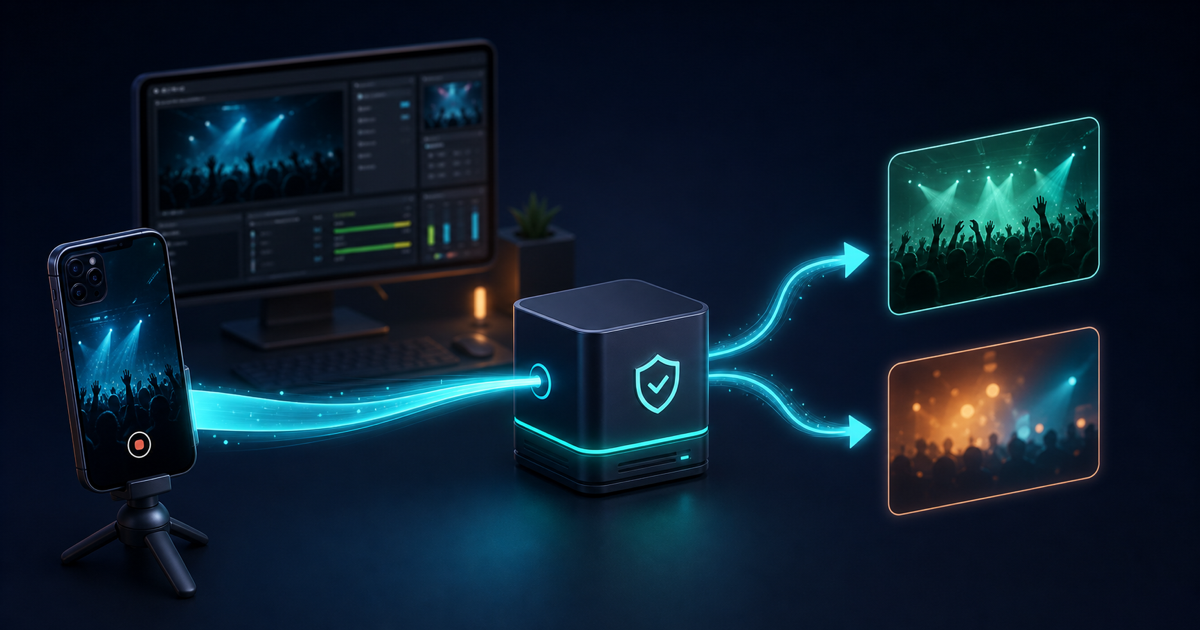
VISP Direct sends one publishing device to Twitch, Kick, YouTube, or any combination without putting OBS in the distribution path. Your phone still captures, compresses, and uploads one feed to VISP. The relay then decodes that contribution and creates a separate H.264 and stereo AAC distribution encode for every selected platform.
That makes Direct useful when the phone is the whole production, especially for a multi-platform simulcast. It is not a better version of every VISP workflow. If your show depends on OBS scenes, alerts, local microphones, recording, color correction, or a fallback scene, the normal phone-to-VISP-to-OBS route remains the better fit.
Direct checks relay encoder capacity before Go Live because each destination consumes one full distribution encode.
What changes when you turn on VISP Direct?
The ordinary VISP workflow treats the phone as a remote camera:
- The phone encodes camera and microphone as H.264 and AAC.
- It publishes one authenticated SRT feed to the VISP relay.
- OBS reads that feed without VISP transcoding it.
- OBS mixes the show, encodes the finished program, and sends it to its chosen destinations.
Direct keeps the first two steps and changes the distribution side. The relay reads the contribution locally, creates a platform-ready encode, and publishes it using credentials or a broadcast destination VISP obtains after you authorize that provider. OBS is no longer required to make the public stream happen.
If you select multiple outputs, the phone still sends only one contribution. The relay runs one independent forwarding process per selected destination. One destination can retry without stopping the other.
The distinction matters. Direct is not stream copying, and it is not a switch that makes the phone send its existing bits unchanged to a platform. VISP deliberately re-encodes every destination as H.264 video and 48 kHz stereo AAC. That gives the relay a consistent distribution format even when phone clients produce different audio layouts.
Direct versus the OBS workflow
| Question | VISP Direct | VISP through OBS |
|---|---|---|
| Where is the finished program built? | On the phone; the relay only prepares distribution encodes | In OBS, from the phone feed plus every other source |
| Does the phone make one upload? | Yes, including when Direct targets both platforms | Yes |
| Who encodes for the destination? | The VISP relay, once per destination | OBS |
| Can OBS still monitor or record the feed? | Yes, but it reads the original contribution | Yes; OBS also owns the public output |
| Are OBS scenes, alerts, graphics, and local audio included? | Only if they were already composed into the phone feed | Yes |
| Can one platform fail without stopping the other? | Yes; destinations run independently | Depends on the OBS or multistream setup |
| Does VISP use multiple mobile connections? | The native app can duplicate packets over Wi-Fi and cellular; it does not aggregate capacity | The same native publishing option is available |
| Is Direct generally available? | Yes, for Twitch, Kick, and YouTube | OBS remains available as an optional read path |
OBS can continue reading a Direct-enabled device for confidence monitoring or recording. What it sees is the phone's contribution, not the distribution encode sent to viewers. Check the actual channel when validating picture, audio, and platform status.
Do not also send OBS to a platform that Direct already owns. That would create two publishers using the same platform stream key, and one connection may be rejected or interrupt the other.
Who benefits from VISP Direct?
Direct is a strong fit for a creator who wants a simple mobile production and does not want to keep a home broadcast computer running. A walking stream, a quick venue update, a practice session, or a single-camera event can all be complete on the phone.
It becomes more useful for a two-platform stream. A phone does not need to run two destination encoders or maintain two separate uploads. It sends one contribution while the relay performs the platform-specific work. The battery guide explains exactly what this can and cannot save on the phone.
Direct also removes a fragile dependency when nobody is available to operate the home studio. There is no OBS computer that must remain awake, no scene collection to load, and no second home upload to the destination. That shorter operational chain can be attractive for an intentionally simple stream.
Choose Direct when all of these are true:
- one phone or encoder already contains the complete picture and audio;
- Twitch, Kick, YouTube, or a combination should receive that same program;
- you do not need OBS to add production elements;
- you accept that the relay performs the destination encodes;
- you have tested the actual field network, temperature, audio, and reconnect behavior.
Who should keep OBS in the path?
Keep the ordinary VISP-to-OBS workflow when the home studio adds something viewers need. Common examples include alerts, a local host microphone, music, browser sources, sponsor graphics, multiple cameras, replay, local recording, or a carefully designed fallback scene.
OBS is also the clearer choice when a producer needs to inspect and correct the field camera before it becomes public. Direct forwards the program supplied by the device. It does not provide a server-side scene editor, audio mixer, color grade, caption system, or moderation delay.
The normal workflow is particularly useful for mobile-network recovery. OBS can keep the destination broadcast online with a holding scene while the phone reconnects. Direct retries each destination when the output process fails, but it cannot invent a replacement picture when the contribution itself is gone. The mobile-network resilience guide shows how an OBS fallback protects the viewer-facing program.
Choose OBS when any of these are true:
- the phone is one source rather than the complete show;
- a fallback scene must remain public during a field outage;
- someone needs to switch scenes or mix several microphones;
- you need the final local program recording;
- you need per-platform layouts or content rather than the same phone program; or
- relay-side distribution encoding is not appropriate for your deployment.
For a detailed phone-as-camera setup, use the remote-camera guide.
How provider authorization works
Direct needs permission that the normal VISP relay path never needs: access to the destination stream key.
When you select Authorize streaming, VISP opens the provider's consent
screen. Twitch documents its
Get Stream Key endpoint
and requires the channel:read:stream_key user scope. Kick exposes the
authenticated channel through its
public Channels API after the
required channel and stream-key permissions are granted.
For YouTube, VISP creates or selects a public live broadcast and binds an RTMPS
stream after the Google account grants YouTube access.
At stream start, VISP retrieves the key, constructs the destination URL in memory, and passes it to the relay forwarding process. The key is not returned to the web or phone app and is not stored as a separate database value. When the forwarding process ends, that in-memory destination is discarded.
This is an important boundary: the ordinary relay-to-OBS path still never touches destination credentials. Direct is an explicit, per-device option with additional consent.
Provider permissions can still be revoked at the provider. If that happens, the affected destination fails and VISP asks you to authorize it again. The other destination can continue.
Practical limits to understand before choosing Direct
Capacity is reserved before publishing. A Direct destination consumes one relay forwarding slot; selecting all three providers consumes three. If the relay is full, Go Live is blocked instead of silently starting without a platform output.
One device owns each provider. The newest device takes the account's selected outputs when the previous owner is offline. A running owner is never interrupted automatically.
Outputs change only while the device is offline. Stop publishing before changing the selected provider checkboxes. This avoids changing destinations under a live contribution.
Native publishing can use two links. The native app can duplicate packets over Wi-Fi and cellular so either copy may arrive, but it does not aggregate their bandwidth. If both uplinks disappear, Direct has no media to forward. Creators who need capacity aggregation should add an appropriate network layer; the VISP and Speedify guide explains one option without pretending it is built into VISP.
Direct still encodes on the phone. The camera, microphone, phone video encoder, and mobile radio remain active. Direct moves the destination encodes to the relay; it does not turn live video capture into a low-power task.
Every platform encode uses relay resources. Selecting more destinations increases Direct CPU work and outbound media bandwidth once per destination. It does not increase the phone upload.
Platform rules still apply
Technology does not override platform policy. Twitch permits simulcasting subject to its Simulcast Guidelines. Among other requirements, the Twitch experience must not be worse than the experience elsewhere, and combined cross-platform activity must not be shown to Twitch viewers. A private floating chat view on the phone is different from burning combined chat into the public video.
Kick's current Partner Program multistreaming guide says partners must enable its Multistreaming toggle for other long-form platforms and that partner payout is reduced by 50% for the duration of that session. VISP does not change the toggle for you. Recheck both providers' current rules before a simulcast because policies can change independently of VISP.
How to try VISP Direct
To use Direct:
- Create or sign in to VISP with Twitch, Kick, or Google.
- Add the phone as its own publishing device.
- Open Direct output in the dashboard.
- Authorize the Twitch, Kick, and/or YouTube outputs you need.
- While the device is offline, select the destination checkboxes.
- Start the phone contribution and watch each destination's state.
- Verify the public channel from a second muted device.
- Stop once, reconnect, and confirm the behavior before relying on it at an event.
Use the VISP Direct documentation for the current controls, states, failure messages, and credential details.
The short decision is this: choose Direct for a complete single-device program that should reach Twitch, Kick, and/or YouTube without OBS. Keep OBS when the studio is part of the show. If the Direct case matches your production, try VISP, create a test device, and validate one private rehearsal before your next live session.
Bring the field into your OBS studio
Try VISP free during beta. You never have to paste a stream key anywhere.
Try VISP free