SRT vs RTMP: Which Protocol Should Carry Your Phone Camera Into OBS?
Compare SRT and RTMP for sending a phone camera into OBS: packet recovery, latency you tune, credential limits, and when the RTMP fallback wins.
By VISP Team ·
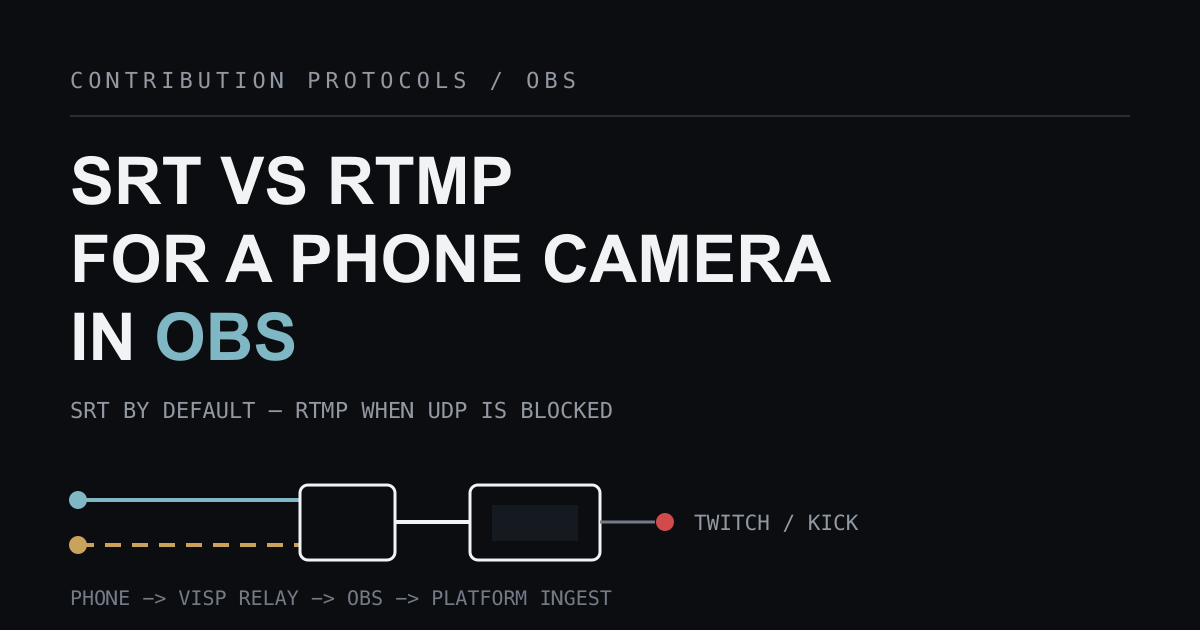
For a phone or field encoder feeding VISP, whether the relay sends it straight to the platforms with Direct or into a home OBS studio, publish over SRT by default and keep RTMP as the fallback for networks that block UDP. SRT gives you packet recovery and a recovery window you set yourself; RTMP gives you a TCP connection that almost every encoder and firewall already tolerates.
The question is narrower than it first looks, because it only applies to one leg
of the chain. The contribution leg from the phone to the relay is yours to
choose. The distribution leg from OBS to the platform is not: Twitch
documents RTMP ingest, and Kick's
own streaming setup article hands out an rtmps:// server URL. So this is not
"SRT or RTMP" for your whole broadcast. It is which protocol carries the field
camera into the production that then speaks RTMP to the platform anyway. (With
VISP Direct, the relay handles that platform leg itself, with one encode per
destination.)

The two protocols were built for different jobs
RTMP is the older of the two and was designed as an application-level protocol "for the multiplexing and packetizing of multimedia streams — such as audio, video, and interactive content, for transmission over network protocols like TCP." That lineage is the whole point: it multiplexes a stream over a single reliable TCP connection, which is exactly what a platform ingest endpoint wants. The Veovera-maintained enhanced RTMP specification, developed with Adobe, notes that RTMP "has been pivotal and continue to be vital especially in live broadcasting," and extends it with newer codecs such as HEVC, AV1, VP9, and Opus.
SRT was built for the messier half of the trip. The official SRT project describes it as "a transport protocol for ultra low (sub-second) latency live video and audio streaming," where "Automatic Repeat reQuest (ARQ) is the primary method" of recovery when "a receiver detects that a packet is missing." Crucially, "SRT's stream error correction is configurable to accommodate a user's deployment conditions" — the sender and receiver agree on how much delay they will accept in exchange for repairing loss.
That single difference explains most real-world outcomes on a cellular link. Both protocols recover lost data. RTMP recovers it the way TCP does: strictly in order, with no application-visible ceiling on how long the repair may take, so a bad patch of network shows up as a growing queue and a stalled feed. SRT recovers it inside a window you chose in advance, and gives up on packets that arrive too late to be useful. Neither behavior is universally better; one protects the stream's timing, the other protects every byte.
Which one should carry your field camera?
| Your situation | Use | Why |
|---|---|---|
| Cellular or shared venue Wi-Fi | SRT | Loss recovery inside a latency budget you set for that network |
| Wired or solid home Wi-Fi | SRT | Nothing to gain from RTMP, and you keep the latency control |
| Guest, corporate, or hotel network that blocks UDP | RTMP | SRT is UDP-based, so it may never connect at all |
| An encoder or app with no SRT support | RTMP | Compatibility beats tuning you cannot reach |
| OBS-to-OBS program feeds between studios | SRT | Same reasoning as a phone, over a usually better network |
VISP's own documentation states the rule plainly: use SRT by default and RTMP only when the network blocks UDP. Both are first-class on the relay. The SRT listener runs on UDP 8890 and the RTMP listener on TCP 1935, and either can serve as the publishing or the reading side of a path.
Both routes are outbound, so neither needs port forwarding
A common reason creators reach for a "simpler" protocol is router configuration, and on this point the two are equivalent in a relay workflow. The phone connects outward to the relay and OBS connects outward to the relay, so the home network never needs an inbound rule. The SRT project makes the same observation about its handshake, which "supports outbound connections without the potential risks and dangers of permanent exterior ports being opened."
If you are choosing between SRT and RTMP because you are trying to avoid opening a port to your studio, the protocol is not the deciding factor — the relay in the middle is. That also applies to remote control: the VISP OBS plugin connects over authenticated outbound WSS, so operating the show from the field does not add an inbound port either.
Set SRT latency from a measurement, not a guess
SRT's advantage only materializes if you give it a realistic recovery window. OBS's SRT guide puts the default at "120 ms = 120 000 μs" and recommends "at least 2.5 * (the round-trip time between encoder and ingest server, in ms)."
Haivision's protocol documentation is more explicit about how loss changes that
figure. It defines the relationship as SRT Latency = RTT Multiplier * RTT, and
says that on
a fairly good network
of "0.1 to 0.2% loss, with no burst loss, a 'rule of thumb' for this value would
be approximately 4." Its reference table scales the multiplier upward as loss
grows, because retransmissions and control traffic both increase with congestion.
VISP's dashboard turns that into a measurement instead of a guess. Its probe sends seven sequential requests to the relay, takes the median round-trip time, and applies a profile multiplier:
| Network profile | Multiplier | Minimum |
|---|---|---|
| Wired | 3× RTT | 120 ms |
| Wi-Fi | 4× RTT | 300 ms |
| Cellular | 6× RTT | 600 ms |
Run the probe on the network the encoder will actually use, and do not tune below the cellular recommendation — mobile jitter arrives in bursts, not as a tidy average. This is the knob RTMP does not give you, and the reason a carefully configured SRT feed survives conditions where an RTMP feed queues up and stalls.
What the relay will not fix for you
On the relay-to-OBS path the relay does not transcode video. It authenticates a publishing device, relays whatever stream that device sends, and exposes a separate reading URL to OBS. Direct re-encodes for each platform, but only from the picture that arrived. Two consequences follow, and they are identical for SRT and RTMP:
- Encoder settings are final. Configure H.264 video, AAC audio, constant bitrate, and a two-second keyframe interval at the source. The relay cannot lower a bitrate your uplink cannot carry, and Kick's help center is blunt that its ingest wants H.264 with CBR rather than VBR.
- One uplink is one uplink. Choosing SRT or RTMP does not combine Wi-Fi and cellular. For that, turn on the VISP app's optional Network bonding, send SRTLA from Moblin or BELABOX to the device's SRTLA URL, use a bonded tunnel such as Speedify, or a dedicated bonded encoder ecosystem, as compared in VISP vs BELABOX vs LiveU Solo.
Only one publisher can own a relay path at a time, so switching protocols is not a handoff trick either. Disconnect the SRT publisher before the RTMP one connects to that same device path.
Treat both publishing URLs as secrets
SRT supports strong encryption: the project describes "128/192/256-bit AES
encryption" protecting content end to end. That protection is only active when
both ends configure a passphrase, and VISP's generated URLs do not set one. The
SRT publishing URL carries the device credential in its streamid, and the RTMP
fallback URL carries it as user and pass query parameters on a plain
rtmp:// address.
So do not read "SRT is the secure one" as a property you get for free here. The practical security model is the same for both: the URL is the credential, each publishing device has its own, and rotating or revoking one device does not disturb the others. Never paste a publishing URL into a public Discord, a support ticket, or on stream. If one leaks, rotate that device rather than rebuilding the studio. The relay separately holds OBS read credentials. Your Twitch or Kick stream key never reaches the phone: it stays in OBS, or with Direct it is fetched server-side while the output runs.
Switching a device to the RTMP fallback
- Open the dashboard Devices tab and find the device under Video sources.
- Turn on Show RTMP and SRTLA fallback URLs to reveal the RTMP URL for that device.
- Paste it into the sending app as a Custom or Custom RTMP server, with an empty stream key.
- Confirm the device row reports Live. If you use OBS, add or refresh the matching read URL there as a Media Source.
The relay also has RTMP read URLs, so OBS can consume either protocol. Full URL formats and per-encoder steps live in Add a video source; the Larix and Moblin walkthroughs cover those two apps end to end.
Troubleshooting the choice
SRT never connects, but RTMP does
That pattern is the signature of a network dropping or filtering UDP. Guest Wi-Fi, hotel networks, and locked-down corporate LANs are the usual culprits. Use the RTMP fallback for that session instead of lowering SRT latency, which will not help.
The feed connects, then stutters or freezes on cellular
Your latency budget is probably too small for the real round-trip time and jitter. Re-run the probe on the live network, apply the cellular profile, and lower the encoder bitrate before touching anything else. Also enable adaptive bitrate in the sending app if it offers one.
RTMP holds up on Wi-Fi but collapses when you start walking
This is TCP behaving as designed. Reliable in-order delivery has no deadline, so sustained loss turns into buffering rather than graceful degradation. Move that device to SRT if the network allows it, and add a local OBS fallback scene for the reconnect gap either way.
OBS shows the source but no audio
Check that the encoder is sending AAC. Because nothing is transcoded in transit, an unusual audio codec that a phone app accepted happily can still arrive as something OBS will not play.
Frequently asked questions
Can I send SRT straight to Twitch or Kick?
Not as their documented ingest. Twitch's developer documentation describes
broadcasts arriving "through the open Internet, into Twitch using Real-Time
Messaging Protocol (RTMP)", and Kick documents an rtmps:// server URL. SRT is
for the contribution leg into your own production; OBS, or the relay with VISP
Direct, then speaks the platform's protocol.
Is SRT always lower latency than RTMP?
No. SRT is capable of sub-second latency, but you deliberately add a recovery window on top of the network's round-trip time. A well-behaved RTMP feed on a clean wired link can be comparable. SRT's advantage is predictable behavior when the network is not clean.
Does either protocol reduce how much bandwidth I need?
No. Both carry the bitrate your encoder produces, and SRT's retransmissions add a little overhead on a lossy link. If the uplink cannot sustain the bitrate, lower the bitrate.
Can OBS read an RTMP feed as a Media Source?
Yes. The generated scene collection uses ffmpeg_source with low buffering and
automatic reconnects, and that source type can play a path's RTMP read URL as
well as its SRT one. See
OBS media sources for the general
behavior of that source type.
Should I use RTMP because my phone battery drains on SRT?
Battery drain is an encoding and radio question, not a protocol one. Lower the resolution, frame rate, or bitrate, and keep the phone cool and charging on long IRL runs.
Sources and next steps
- VISP encoders, latency probe, and fallback
- VISP video source URLs
- VISP architecture
- Official SRT project (Haivision)
- Haivision RTT multiplier and SRT latency
- OBS SRT protocol streaming guide
- Enhanced RTMP specification (Veovera)
- Twitch video broadcast documentation
- Kick streaming setup
If you want the tuned version of this without maintaining a relay by hand, try VISP: create a video source, run the latency probe on the network you will really use, publish over SRT, and keep the RTMP URL in your pocket for the venue that blocks UDP.
Bring the field into your OBS studio
Try VISP free during beta. You never have to paste a stream key anywhere.
Try VISP free