Streamlabs Mobile vs VISP: Publish From Your Phone or Feed OBS?
Compare Streamlabs Mobile's direct phone broadcasting with VISP's phone-as-an-OBS-source workflow, and pick the right fit for your Twitch or Kick production.
By VISP Team ·
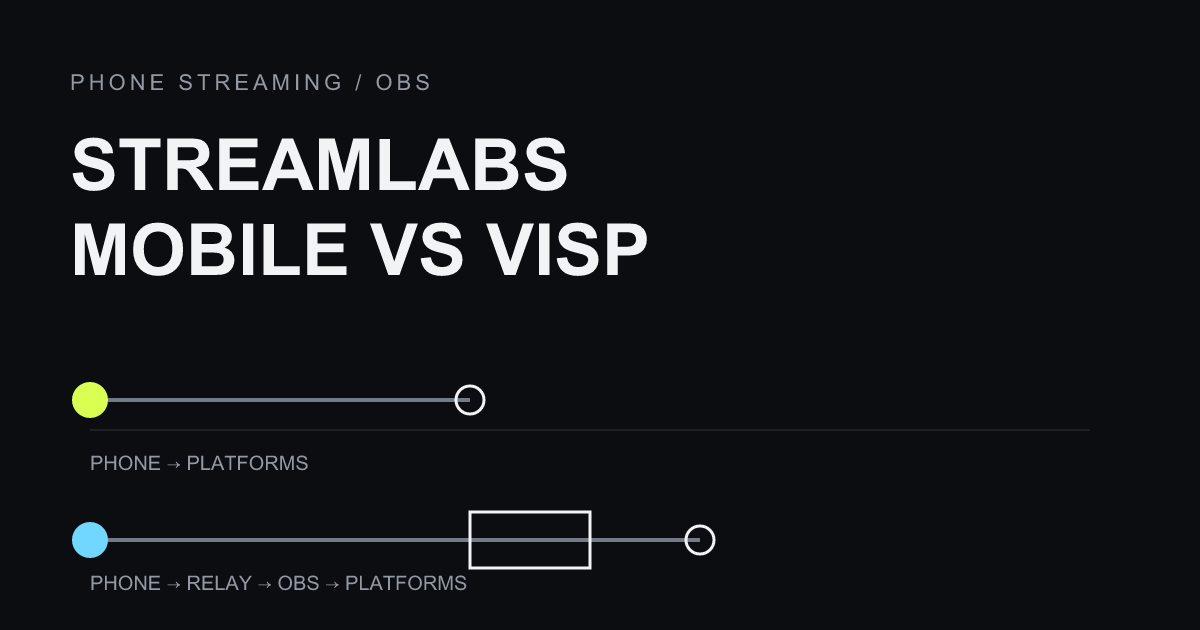
Streamlabs Mobile and VISP both start with a phone, but they end in very different places. Choose Streamlabs Mobile when the phone should be the whole studio, with overlays built on the handset. Choose VISP when you want a simpler Direct output to Twitch, Kick, or YouTube from the relay, or when the phone should feed an OBS studio.
Neither tool is a universal replacement for the other. The right pick depends on a single question: is the phone your entire show, or a source feeding a show you already build in OBS?
The short comparison
| Need | Streamlabs Mobile | VISP |
|---|---|---|
| Go live directly from the phone | Core workflow | Yes, with Direct (the default); relay encodes each platform |
| Keep an existing OBS studio as the output | Not its purpose | Optional relay-to-OBS workflow |
| Overlays, alerts, and themes on the phone | Built in | Not a phone-side scene editor; produce in OBS if you need scenes |
| Where destination credentials live | Managed by Streamlabs | In OBS for relay-to-OBS; Direct retrieves provider credentials server-side |
| Multistreaming to several platforms at once | Yes, with a paid Ultra plan | Direct can independently target Twitch, Kick, YouTube, and saved custom destinations |
| Holding screen when data drops | Disconnect Protection (Ultra) | Optional BRB card with Direct, or an OBS fallback scene |
| Transport | RTMP (custom RTMP for many destinations) | SRT or RTMP into the relay, plus browser WebRTC |
| Repeat, revocable device credentials | Account login | Per-device publish access, independently revocable |
| Remote OBS control | Not applicable | Authenticated start/stop/scene through the VISP OBS plugin |
| Multi-link resilience | No built-in bonding | Optional Network bonding in the native app: SRTLA aggregation, packet duplication, or main + backup |
The last row matters for IRL work. VISP's native publisher can bond Wi-Fi and cellular when you turn on Network bonding; it is off by default. Both links still ride on one phone, so for heavier bonding needs compare a dedicated encoder or network layer, as covered in VISP vs BELABOX vs LiveU Solo. VISP's relay-to-OBS path does not transcode; Direct does create a distribution encode for each selected destination.
How Streamlabs Mobile works
Streamlabs Mobile is a self-contained broadcasting app for iOS and Android. It is free to download, and it turns the phone into the entire production: you set up scenes, alerts, overlays, and widgets in the app, then go live directly to Twitch, Kick, YouTube, TikTok, Facebook, and other destinations, including custom RTMP targets. Streamlabs describes it as being able to "go live to Twitch, Kick, YouTube, TikTok, Facebook, and more" right from the handset.
Two features shape that model. First, multistreaming: Streamlabs documents that with a paid Ultra plan you can "stream to Twitch, YouTube, TikTok, Kick, and more all at the same time." Second, Disconnect Protection, an Ultra feature that shows a holding screen so, in Streamlabs' words, "even if your data drops, your stream won't automatically end." Both live inside the app because the app is the broadcaster.
That is a genuine strength when the phone is the show. A mobile-first creator who wants overlays, alerts, and multiplatform output without a computer gets all of it in one place, and the stream key stays managed by Streamlabs on the phone.
How VISP works
VISP can send the phone as a complete program through Direct, the default, or treat it as an OBS publishing source. The native VISP app captures H.264 video and AAC audio and publishes over SRT to an authenticated relay path; the browser publisher uses WebRTC, and third-party encoders such as Larix or Moblin can publish over SRT or RTMP. With Direct, the relay encodes that feed for each selected platform. In the optional OBS workflow, OBS on the home computer reads that path as a media source, exactly like using a phone as a remote camera in OBS.
In the OBS workflow, your scenes, alerts, graphics, recording, and destination credentials stay in OBS at home. Direct instead retrieves authorized provider credentials on the server and sends the phone program to Twitch, Kick, or YouTube; the phone does not receive those credentials. Each publishing device gets independently revocable access, and the OBS read credential is separate from publish access, so an old phone or a departed guest can be cut off without touching your other cameras. Setup details are in the VISP get-started guide and the video-source documentation.
If you use OBS, VISP also lets the field operator control the studio. Through the optional paired OBS plugin, an authenticated device can send start, stop, and scene commands over authenticated outbound WSS, so OBS never exposes an inbound control port. See the OBS remote-control documentation for how that pairing works. The relay-to-OBS path does not transcode: the codec, resolution, and bitrate the phone sends are what reach OBS. Direct separately encodes each destination.
Where the two models genuinely differ
Who owns the output
With Streamlabs Mobile, the phone owns the broadcast. If the phone is the only device, the app handles overlays and delivery end to end. With VISP Direct, the relay owns the platform connection and the phone only sends its camera. In the OBS workflow, OBS owns the broadcast, and the phone is one input among your scenes, cameras, and audio sources. If you have already invested in an OBS layout, alerts, and a produced look, VISP preserves it; Streamlabs Mobile asks you to rebuild that look inside the app.
Multistreaming vs a single produced feed
Streamlabs Mobile's multistreaming sends the phone's output to several platforms at once on a paid plan. VISP Direct can send one contribution independently to selected Twitch, Kick, and YouTube destinations, while its OBS workflow leaves distribution to OBS. Streamlabs keeps the production tools on the phone; VISP Direct is intentionally simpler, and the OBS path preserves an existing studio.
Reliability during a network dip
Both models have honest limits on a bad connection. Streamlabs Mobile's Disconnect Protection keeps the platform stream alive with a holding screen when the phone's data drops. VISP keeps the platform connection off the phone: with Direct, the optional BRB card (dashboard BRB tab, off by default) holds each output open while the phone reconnects; in the OBS workflow, OBS can hold a fallback scene, local content, and audio. The mobile-network resilience guide walks through both. Neither approach creates bandwidth where none exists.
One camera vs several
A single phone as the whole studio is Streamlabs Mobile's comfort zone. When you need several independent cameras cut together, VISP gives each phone its own device, credential, and OBS source, as shown in the multi-phone IRL guide. Streamlabs Mobile is built around the one phone in your hand, not a rack of contribution feeds landing in a producer's OBS.
Which should you choose?
Choose Streamlabs Mobile when:
- the phone is your entire studio and you do not want a separate computer;
- you want overlays, alerts, and themes managed inside the app;
- multistreaming to several platforms at once is a priority;
- a simple, self-contained mobile broadcast is the goal.
Choose VISP when:
- you want a simple phone-to-Twitch, Kick, or YouTube output with the stream keys kept off the phone;
- you already produce in OBS and want to keep those scenes, alerts, and stream key;
- a phone should behave like a named, revocable camera that returns each week;
- you want SRT contribution and latency tuning into an existing production;
- the field operator should control OBS without opening an inbound port;
- you need several phones as independent OBS sources rather than one broadcaster.
They can even coexist across shows: use Streamlabs Mobile for a quick solo mobile stream, and VISP when the same phone needs to become a camera inside your full OBS production. If your remote contributor is a two-way conversational guest rather than a camera, compare the call-oriented option in VDO.Ninja vs VISP as well.
Frequently asked questions
Does VISP replace Streamlabs Mobile?
Not as a like-for-like studio app. Streamlabs Mobile includes phone-side overlays and production tools. VISP can feed OBS or use Direct for a simpler phone program, but Direct is not a phone-side scene editor.
Can Streamlabs Mobile feed OBS like VISP does?
That is not its main design. Streamlabs Mobile is oriented around publishing directly to platforms from the phone, whereas VISP's optional OBS workflow is built around delivering an authenticated contribution feed into OBS.
Does either one bond Wi-Fi and cellular?
Streamlabs Mobile has no built-in bonding. VISP's native app has optional Network bonding: its default SRTLA mode combines Wi-Fi and cellular, and Broadcast duplicates every packet over both for failover.
Where do destination credentials live?
Streamlabs manages them for its mobile broadcast. In VISP's OBS workflow they stay in OBS; Direct retrieves authorized provider credentials server-side. The publishing phone does not receive them.
Do I have to rebuild my OBS setup to try VISP?
No. Direct needs no OBS at all. If you do use OBS, VISP adds the phone as a new media source, so your scenes, alerts, graphics, and destination configuration stay exactly as they are.
Sources and further reading
- Streamlabs Mobile app overview
- Streamlabs Mobile live-streaming guide
- Streamlabs multistreaming on mobile
- VISP: get started
- VISP: Direct output
- VISP: add a video source
- VISP: phone and browser publishing app
- VISP: OBS remote control
If you want the phone to go live without holding a stream key, or to join an OBS show as a managed, revocable camera, try VISP: sign in, authorize Direct, and go live, then add OBS later only if the show needs it.
Bring the field into your OBS studio
Try VISP free during beta. You never have to paste a stream key anywhere.
Try VISP free