How VISP Direct Saves Mobile Phone Battery When Streaming
See when VISP Direct can reduce phone workload during multi-platform simulcasting, what remains on-device, and how to test real battery savings.
By VISP Team ·
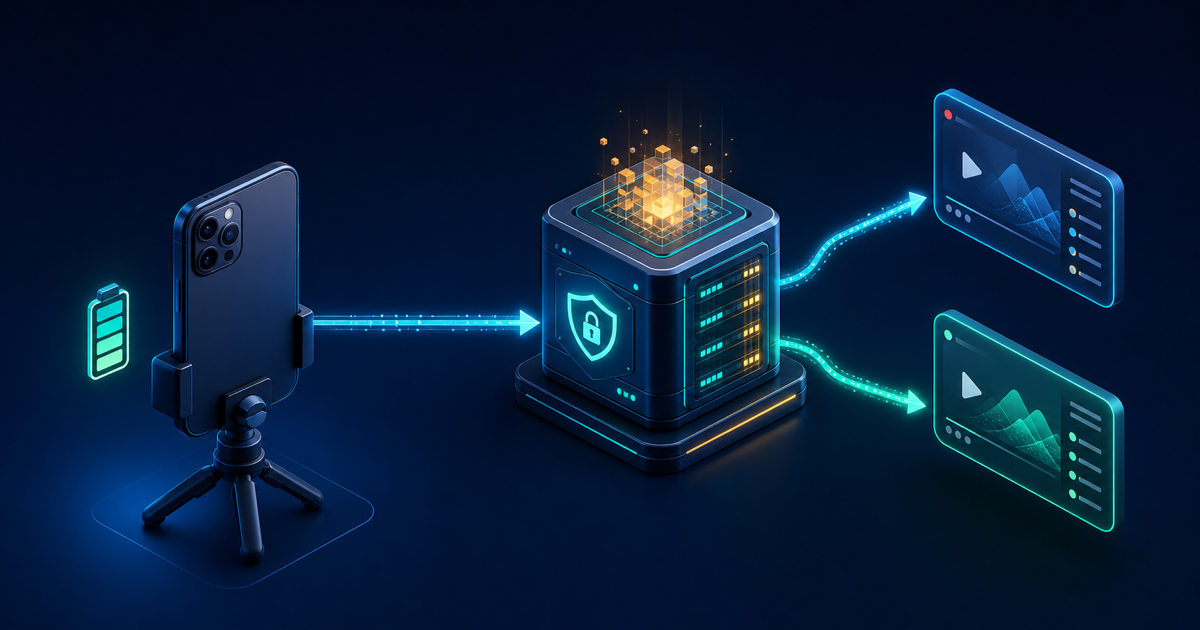
VISP Direct can save mobile phone battery during a Twitch-and-Kick simulcast by keeping the phone to one video encode and one upload. The VISP relay receives that contribution and performs the two separate platform encodes.
The qualification matters. Direct does not stop the camera, microphone, phone encoder, screen, or cellular radio from using power. It also does not promise a battery saving when compared with sending one ordinary VISP feed to OBS or one feed to another relay service. In those cases, the phone already does one encode and one upload.
The honest claim is therefore specific: Direct can avoid additional on-phone destination work when the alternative would make the phone produce and send more than one live output. It moves the duplicated distribution work to the relay; it does not make mobile streaming free.
What uses battery in a mobile livestream?
A live-streaming phone keeps several expensive systems active at once:
- the camera sensor and image-processing pipeline capture every frame;
- the microphone and audio pipeline run continuously;
- the video encoder compresses the frames;
- the app renders a preview, controls, status, and possibly chat;
- the cellular or Wi-Fi radio uploads media without a long idle period; and
- the CPU wakes for networking, encryption, packet handling, and app logic.
Apple's current battery-use guidance notes that intensive computation, camera use, rendering, and networking all consume energy. Its media guidance recommends choosing appropriate video formats and stopping capture sessions when they are not needed. During a live broadcast, of course, the capture session and network cannot be stopped.
Android's network optimization documentation calls wireless transfer one of an app's potentially significant battery drains. An active stream keeps the radio busy instead of letting it settle into a low-power or standby state.
These sources support the direction of the battery claim, not a universal percentage. Real consumption depends on the phone model, modem, temperature, signal strength, camera, hardware encoder, resolution, frame rate, bitrate, screen brightness, app version, and battery health. VISP should not invent a fixed number for all of those combinations.
What the phone does with VISP Direct
The VISP phone app captures camera and microphone, encodes H.264 video and AAC audio, and publishes one authenticated SRT contribution to the relay. Direct does not remove this first encode: SRT still needs compressed media to carry.
Once the contribution is ready, the relay starts one distribution process for each selected platform. Every process reads the same local relay copy and produces H.264 video plus 48 kHz stereo AAC. Selecting Twitch and Kick creates two relay encodes but still only one phone upload.
| Work | One Direct destination | Direct to Twitch and Kick |
|---|---|---|
| Phone camera capture | 1 | 1 |
| Phone contribution encode | 1 | 1 |
| Phone media upload | 1 | 1 |
| Relay distribution encodes | 1 | 2 |
| Relay destination uploads | 1 | 2 |
This architecture is why any saving belongs to the multi-output comparison. The phone's count stays one while the relay's count grows with the number of destinations.
Each destination also has its own process and retry loop. If Twitch rejects a key or becomes unavailable, the Kick process can remain running. That separation improves destination isolation, but it does not change how much power the single phone contribution needs.
The comparison that can save battery
Imagine two ways to simulcast the same phone program.
In the first, a mobile app performs two independent destination encodes or uploads: one toward Twitch and another toward Kick. Depending on the app, it may need duplicated codec work, duplicated packet processing, or simply more outbound traffic. All of that work happens on the battery-powered device.
With VISP Direct, the phone produces one contribution. The mains-powered relay does the duplicated platform work. Avoiding a second phone encode is the clearest potential saving. Avoiding a second media upload can also reduce radio and networking work, although modem power does not scale in a simple one-to-one relationship with bitrate.
This benefit is architectural, not a claim that every competing mobile app always runs two encoders. Some simulcasting products already accept one phone upload and redistribute it in the cloud. Compared with that kind of relay, VISP Direct may not reduce phone workload at all. Compare the actual signal path, not the feature name.
The same caution applies to the ordinary VISP-to-OBS workflow. The phone sends one contribution to VISP, and OBS performs one final destination encode. If you replace that with Direct to one platform, the phone still captures, encodes, and uploads one feed. Direct removes the need to run the OBS computer, but that is a home-studio power saving, not automatically a phone-battery saving.
What VISP Direct moves off the phone
Platform distribution encoding. The relay always creates a fresh platform-ready output rather than stream-copying the contribution. The current deployment defaults to H.264, 30 fps, a configurable target bitrate, and stereo AAC. Those are relay calibration values, not extra phone settings.
A second platform upload. Twitch and Kick receive separate RTMPS outputs from the relay. The phone maintains only its SRT contribution to VISP.
Stream-key handling. Direct retrieves the platform key after OAuth consent, constructs the destination in memory, and gives it only to the relay process. This is primarily a security and usability property rather than a large battery saving, but the phone does not need to operate two destination connections or hold the keys itself. Twitch documents the required stream-key API and permission; Kick publishes its channel and stream-key interface through the Kick Developer API.
Independent destination retries. Failed platform outputs retry on the relay. The phone keeps publishing its one contribution. This avoids putting platform reconnect logic for both outputs on the handset, although the phone still reconnects its SRT leg if the field network drops.
What remains on the phone
The camera stays on, and camera selection still matters. A high-resolution wide camera, stabilization, low-light processing, or other device-specific features can increase heat and power use.
The contribution encoder stays on. Direct cannot send raw camera frames over a practical mobile uplink. Resolution and frame rate determine how many pixels the phone must process; bitrate determines how aggressively it compresses and how much media it sends.
The radio stays active. One sustained upload is better than two only when two would otherwise exist. Weak signal can still make the modem work harder, and SRT retransmissions on a lossy route add traffic.
The preview and chat can stay on. A bright screen is useful outdoors but costs energy. Floating chat stays private on the phone, while Embedded chat becomes part of the captured program. Neither mode turns off the streaming workload.
Finally, VISP Native can duplicate packets over cellular and Wi-Fi for failover, but it does not aggregate the links' capacity or reduce the total radio work. The cellular-and-Wi-Fi bonding guide covers an optional network layer, with the additional warning that bonding software itself also consumes device resources.
How to reduce battery use in the complete workflow
Direct addresses duplicated destination work. The larger gains often come from choosing a sensible contribution profile.
Start with 720p at 30 fps for a moving mobile stream. Increase resolution only when viewers can see the extra detail and a long field test proves the phone remains stable. The mobile bitrate guide separates contribution bitrate from the final platform bitrate and explains why a menu's maximum is not a target.
Use the lowest bitrate that still preserves acceptable motion and detail. Lower bitrate reduces transmitted data and can reduce encoder pressure, but too little bitrate creates blocking and smearing. There is no useful battery win if the picture becomes unwatchable.
Keep screen brightness no higher than the real environment requires. Avoid unnecessary animated overlays and leave the display on the simplest useful live view. Accessibility and safe operation come first: the operator must still be able to read status and stop the stream.
Start with a charged, healthy battery and use a suitable external power source for a long event. Avoid trapping the phone in an insulating case while it is charging and encoding. Heat can force the device to reduce performance or stop camera work even when nominal battery capacity remains.
Test the network route instead of standing beside the studio Wi-Fi. Signal strength, hand position, movement between cells, weather, and crowd density can change radio behavior. The route that matters is the one the stream will actually travel.
Stop unused capture sessions promptly. VISP releases the publisher and media devices when you stop the phone stream. Do not leave the live preview running for an hour before the event if you are trying to preserve battery for the event itself.
How to measure whether Direct helps your phone
Do not compare two different days and guess from the battery icon. Run a small repeatable test on the same phone.
- Charge to the same starting percentage and let the phone cool.
- Use the same camera, resolution, frame rate, bitrate, screen brightness, network, physical location, and chat mode.
- Run the alternative workflow for at least 30 minutes and note ending battery, device temperature warning, reconnects, and transmitted data.
- Cool and recharge the phone.
- Run VISP Direct for the same duration and destinations.
- Repeat once, because cellular conditions can vary even without moving.
On iPhone, Apple's battery analysis guidance and Xcode Power Profiler can help during development. On Android, use the system battery-usage view or profiling tools available for the device. For a creator test, consistent conditions and percentage loss per hour are more useful than pretending a lab result from another model applies to yours.
Record the result as a range, not a promise. For example, “this phone used fewer percentage points in two repeated 45-minute dual-platform runs” is evidence. “Direct saves 30% battery” without controlled measurements is not.
Battery savings do not remove reliability limits
A longer-lasting phone can still lose its network. SRT retransmits missing packets when they arrive within the configured latency window, but it cannot create bandwidth or media during a complete outage. Direct also has no OBS fallback scene to show when the contribution disappears.
If continuity matters more than removing the home computer, the ordinary VISP-to-OBS workflow may still be the better engineering choice. OBS can keep the public stream alive with local content while the phone reconnects. Read the bad-mobile-network guide before trading that fallback for a shorter Direct path.
Direct itself is capacity-limited during beta. Each platform uses one relay forwarder. If no slot is free, the Direct output does not start, although the ordinary relay read remains available. Treat a successful rehearsal as necessary, not optional.
Remember the simulcasting rules
When Direct targets both platforms, the technical path is only part of the setup. Twitch's current Simulcast Guidelines require the Twitch experience not to be worse than the other service and restrict combining cross-platform activity in the public Twitch experience. Keep combined chat private rather than burning it into the video.
Kick's current Partner Program guide requires partners to enable its Multistreaming toggle for simultaneous long-form platforms and says partner payout is reduced by 50% during that session. VISP does not toggle it. Recheck the rules before every material workflow change.
Try the battery-efficient case, not a slogan
VISP Direct is most compelling for battery when it replaces duplicated on-phone work with one contribution and relay-side distribution. It does not claim a saving over every single-output or cloud-relay workflow, and the actual result belongs to your phone and route.
Follow the VISP Direct setup documentation, select Twitch and Kick while the device is offline, and run the controlled test above. If the result is better, try VISP for one full rehearsal before relying on the saving during a long mobile stream.
Bring the field into your OBS studio
Try VISP free during beta. You never have to paste a stream key anywhere.
Try VISP free