How to Bond Cellular and Wi-Fi for a VISP Phone Stream with Speedify
Compare VISP Native's dual-link packet duplication with Speedify's Wi-Fi and cellular bonding, and learn when each approach helps.
By VISP Team ·
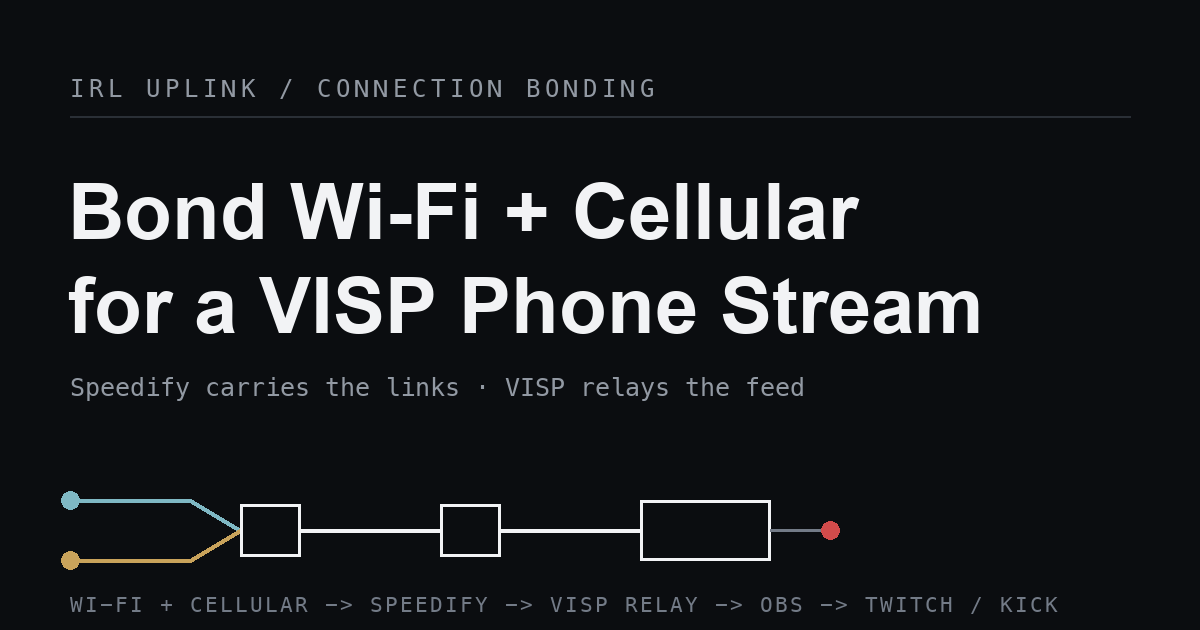
To make a VISP phone stream survive one weak connection, run a Speedify bonded tunnel on the field device, then publish into VISP over plain SRT as usual. Speedify combines the phone's Wi-Fi and cellular links into one steady tunnel underneath your encoder, VISP authenticates and relays the single feed, and OBS keeps control of the finished Twitch or Kick broadcast.
This matters because the tools solve different problems: VISP Native can duplicate packets over Wi-Fi and cellular, while Speedify can aggregate link capacity. VISP is a self-hosted SRT/RTMP relay and control plane. It gives each publishing device revocable access and brings its feed into OBS, but it carries whatever single stream the encoder sends. If your problem is a shaky uplink rather than the studio workflow, bonding belongs to a layer below VISP — and Speedify is one way to add it.
Native duplication versus Speedify bonding
The VISP relay sits between publishing devices and OBS. A phone connects outward to VISP, OBS connects outward to VISP, and the home network never needs an inbound port. That design keeps the Twitch or Kick stream key in OBS and lets each device be revoked on its own. What it deliberately does not do is aggregate two internet connections into a larger-capacity link. VISP Native instead sends duplicate packets over Wi-Fi and cellular so either copy can arrive. That improves failover without adding both links' bandwidth; third-party encoders still publish one path.
There are three common ways to add real bonding, and they live at different layers:
- On the encoder, through SRTLA. Apps like
Moblin and BELABOX can spread one SRT
stream across several links, but per the
BELABOX SRTLA project this needs a
matching
srtla_recreceiver to reassemble the links. VISP is not that receiver. - In dedicated hardware, such as LiveU Solo, which pairs an encoder with a commercial bonding service. That trade-off is covered in VISP vs BELABOX vs LiveU Solo.
- Below every app, through a system-level bonding VPN like Speedify. This is the approach that lets you keep your existing VISP encoder unchanged and still bond the uplink.
Speedify is attractive precisely because it is app-agnostic. You do not have to switch encoders or run a special receiver; you install it on the field device and every stream that leaves the phone, including your VISP SRT feed, rides the bonded tunnel.
How Speedify fills the gap
Speedify describes itself as connection bonding software that "combines Wi-Fi, 4G / 5G cellular, Ethernet, Starlink and other satellite internet connections together" and "works with all live streaming software and social platforms." On its channel bonding page it explains the mechanism: it "breaks your traffic into packets and sends them across every connection at once," so "to everything you use, it looks like one fast, steady connection." Crucially, that bonding happens at the connection level, transparently, without per-app configuration.
That last point is what makes it work with VISP. SRT still runs end to end between your encoder and the VISP relay; Speedify simply carries that traffic over a bonded, encrypted tunnel and reassembles it at its own Speed Server before it egresses to VISP. Your encoder and VISP both see one connection. Speedify also ships two reliability behaviors worth knowing: a Redundant Mode that "sends every packet over every connection at the same time and keeps whichever copy lands first," and a default Streaming Mode that automatically switches real-time traffic between bonding for speed and duplicating for reliability. Speedify installs on iPhone, iPad, Android, Windows, macOS, and Linux, so it can run on the same phone that publishes to VISP.
What you need
- A VISP account signed in with Twitch, Kick, or Google
- Your usual VISP publisher on the phone: the native app, or an encoder like Larix Broadcaster or Moblin
- Speedify installed on that same field device, with at least two working connections (for example Wi-Fi plus cellular, or two cellular modems)
- OBS Studio on the production computer
- A local OBS fallback scene for a field interruption
- Headphones for checking audio without creating a return-path echo
Rehearse with the same phone, carriers, route, and time of day you expect to use live. Bonding two connections that are both congested at the same spot does not create bandwidth, and a fast Wi-Fi test at home never validates a moving cellular production.
1. Install and start Speedify on the field device
Install Speedify on the phone, sign in, and confirm it shows two or more active connections. On a phone that usually means Wi-Fi plus cellular; enabling both radios at once is what gives Speedify something to bond. Because Speedify runs as a system-level tunnel, you do not point your encoder at it — once it is active, the VISP SRT traffic already flows through it.
2. Choose the right bonding mode
Leave Speedify in its default Streaming Mode for most live shows; it is built for real-time traffic and adapts per stream. If you are crossing an area where you expect frequent brief drops and can spare the extra data, Redundant Mode sends a copy over every link so a single dropped path does not interrupt the feed. Redundant Mode trades bandwidth for reliability, so test it on the real route at the bitrate you actually stream.
3. Publish into VISP over plain SRT
Nothing changes in your VISP setup. Sign in to VISP, open Video sources,
choose Add device, and name it something practical like "roaming phone." Copy
the srt:// publishing URL and paste it into your encoder, exactly as in the
phone-as-a-remote-camera guide. Treat the
whole URL as a password. Keep SRT selected unless the network blocks UDP; VISP
exposes an RTMP fallback under Advanced mode, and the
video-source docs show the
exact dashboard flow.
Use H.264 video and AAC audio, because VISP does not transcode: the codec, resolution, frame rate, and bitrate your encoder sends are what the relay passes toward OBS. Choose a bitrate the bonded connection can sustain with margin, not a single speed-test peak. A stable 720p30 picture beats a nominal 1080p feed that constantly queues.
4. Set SRT latency for the bonded path
SRT can retransmit lost UDP packets while they are still useful, and its latency window gives those retransmissions time to arrive. The SRT project documents this automatic-repeat behavior, and the SRT Alliance overview explains why the latency window is tied to round-trip time. Speedify adds a Speed Server hop and its own reassembly, so the effective round-trip can be a little longer than a direct cellular path. Run VISP's latency probe on the connection you will actually use and choose the cellular profile, then keep some extra headroom rather than shrinking the value to advertise a smaller delay. VISP turns the median of seven round-trip samples into starting recommendations:
| Profile | Recommendation | Minimum |
|---|---|---|
| Wired | 3× measured RTT | 120 ms |
| Wi-Fi | 4× measured RTT | 300 ms |
| Cellular | 6× measured RTT | 600 ms |
The OBS SRT guide describes latency the same way; VISP simply applies more conservative floors tuned for mobile contribution. For the encoder-side settings, see the broadcaster setup docs.
5. Bring the feed into OBS and rehearse recovery
Your encoder uses the publishing URL; OBS uses the separate reading URL. The quickest OBS setup is to pair the VISP plugin, select the device, and add it to the current scene, as described in VISP OBS remote control. That creates the authenticated Media Source without exposing a public control port. You can also import the generated scene collection, which includes a Fallback scene and one reconnecting Media Source per device.
Then run a short failure drill with the destination still offline:
- Confirm motion and audio in OBS for several minutes.
- Turn off one of the phone's connections (drop Wi-Fi, keep cellular).
- Watch the feed continue on the remaining bonded link.
- Restore the connection and confirm Speedify re-adds it.
- Now disable both connections and confirm OBS shows the local fallback scene.
- Restore the network and wait for stable playback before cutting back.
Steps 2–4 prove the bonding is doing its job; steps 5–6 prove that even bonding cannot beat a total outage, which is exactly why you keep an OBS fallback. For a production that should keep entertaining viewers during any interruption, follow the mobile-network resilience guide.
Speedify vs on-encoder bonding vs hardware
Speedify is the least intrusive option: it rides under any VISP encoder and bonds whatever links the device has. Its trade-offs are a subscription, an extra Speed Server hop, and dependence on Speedify's servers for the reassembly. On-encoder SRTLA through Moblin or BELABOX bonds the SRT stream itself with no third-party relay, but it needs a matching SRTLA receiver, which VISP is not, so you would terminate SRTLA elsewhere and forward plain SRT into VISP. Dedicated hardware like LiveU Solo bundles the encoder and a bonding service into one supported appliance at a higher cost. Choose Speedify when you want to keep your current phone workflow and just harden the uplink; choose SRTLA or hardware when you need bonding that does not depend on a consumer VPN service.
What this setup does not do
VISP's relay-to-OBS path does not transcode. Native dual-link mode duplicates packets, while Speedify can aggregate connections; neither can invent bandwidth. If both links are saturated or dead in the same spot, no bonding mode will keep the stream alive, and that is when the OBS fallback scene earns its place. Only one publisher can own a VISP device path at a time, so give every phone its own device and OBS source; the multi-phone IRL guide shows how those independent sources compose. Speedify is also not part of VISP, is not required for VISP, and is not endorsed by it — it is one third-party layer that happens to fit below the relay.
Troubleshooting
Bonding is on, but the stream still stutters
Confirm both connections are genuinely active in Speedify and are not congested at the same location. Lower the encoder bitrate, raise the SRT latency window, and re-run VISP's latency probe. Bonding two weak links does not add up to one strong one when both degrade together.
VISP never shows Live
Check that the full current srt:// publishing URL is pasted, that no other
encoder owns that device path, and that UDP is not blocked. If the credential
was rotated, replace the old URL. This is unrelated to Speedify.
VISP is Live, but OBS is blank
Make sure OBS has the reading URL, not the publishing URL, with Local File disabled, and wait for a keyframe. If the OBS read credential was rotated, refresh the source.
Latency feels high
Speedify's Speed Server adds a hop. Pick a nearby server if the app lets you, keep Streaming Mode rather than Redundant Mode when data allows, and accept that a bonded, reassembled path trades a little delay for resilience.
Pre-stream checklist
- Speedify shows two or more active connections and the intended mode.
- The encoder publishes the current VISP
srt://URL over plain SRT. - H.264, AAC, orientation, keyframe interval, and bitrate are tested on the route.
- SRT latency comes from a probe on the real bonded connection.
- OBS uses the separate reading URL and receives picture and audio.
- Dropping one link keeps the feed alive; dropping both shows the fallback scene.
- The destination stream key stays only in OBS.
Frequently asked questions
Does Speedify replace VISP?
No. Speedify is a network layer that bonds connections; VISP is the relay and control plane that authenticates devices and feeds OBS. They solve different problems and work together — Speedify hardens the uplink, VISP manages the feed.
Do I need to configure my encoder to use Speedify?
No. Speedify bonds at the connection level, so once it is running on the phone, your VISP SRT traffic already flows through it. You publish into VISP exactly as you would without it.
Is Speedify the only way to bond for VISP?
No. You can bond on the encoder with SRTLA through Moblin or BELABOX and forward plain SRT into VISP, or use dedicated bonded hardware. Speedify is the option that leaves your existing phone workflow unchanged.
Will bonding stop my stream from ever dropping?
No. Bonding and SRT recovery ride out brief interruptions and single-link failures, but neither creates bandwidth. Keep an OBS fallback scene for a total outage.
Sources and next steps
- Speedify IRL streaming connection bonding
- Speedify channel bonding: how it works and its modes
- BELABOX SRTLA bonding protocol
- LiveU Solo overview
- Haivision SRT open-source project
- OBS SRT protocol streaming guide
- VISP: add a video source
- VISP: encoders, SRT latency, and fallback
If you already produce in OBS and want a shaky field uplink to stop ending your show, try VISP: create one device, publish over SRT, add a bonding layer like Speedify beneath it, and run the failure drill before your next live broadcast.
Bring the field into your OBS studio
Try VISP free during beta. You never have to paste a stream key anywhere.
Try VISP free